

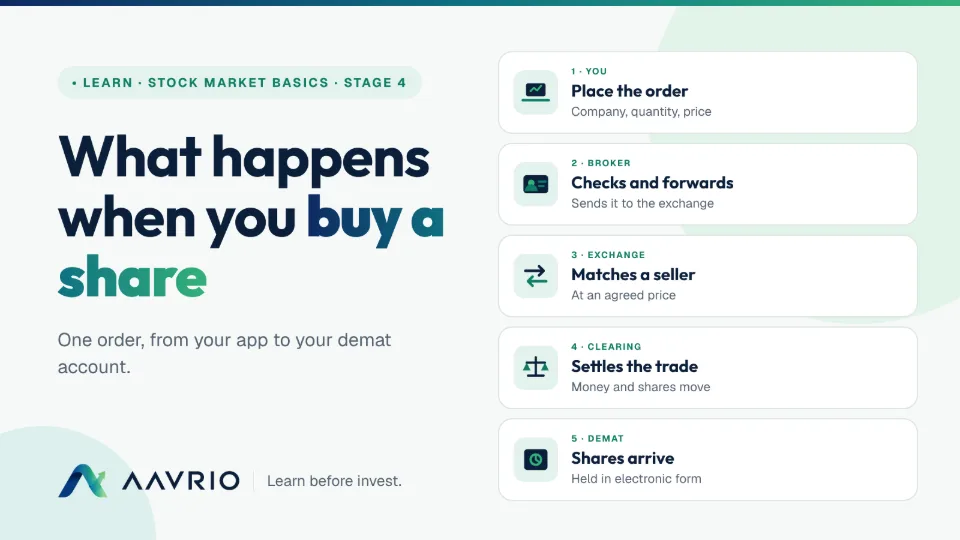
Say you want to buy 10 shares of a company. You open your broker's app, search for the company and press buy. Here is what happens next.
The journey of one order
You enter the order: the company, the number of shares and the price you want.
Your broker checks that your account has enough money and sends the order to the exchange.
The exchange puts your order in line with everyone else's and looks for a seller who agrees to your price.
When a match is found, the trade is done and you see a confirmation.
The clearing corporation works out who owes what, and the money and shares move, as we saw in Stage 2.
The shares appear in your demat account, and the money has left your bank account.
What you see and what you do not
On your screen, it feels like one tap. Underneath, the broker, the exchange, the clearing corporation and the depository each do one job. You do not need to chase any of them.
If the order does not match
Sometimes no seller agrees to your price. Then your order simply waits, or is cancelled at the end of the day, depending on the type of order you placed. The next lesson explains the order types.
Where to check
Your broker's app shows the order status, such as pending, executed or cancelled. Your demat account shows the shares you now own.
Check yourself
Which step finds a seller who agrees to your price?
Answer: the exchange matches your order with a seller.
Frequently asked questions
Do I deal with the exchange directly?
No. You place the order with your broker, and the broker sends it to the exchange for you.
What does "executed" mean?
It means your order found a match and the trade has happened.
Where do my shares go after I buy?
They are credited to your demat account, which holds them in electronic form.
This lesson is for education only and is not investment advice. Investments in securities are subject to market risks.